User Selection
After the SAM database is scanned, a list of defined local users will be displayed:
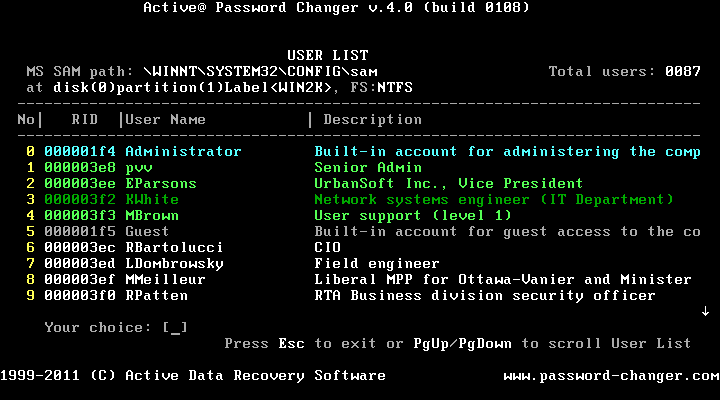
- Press the [0] . [9] key to display information for a specific user
- Press [PgUp] or [PgDown] to scroll the list of users
- The primary (built-in) Administrator is displayed in Cyan,
- Other users who have Administrator privileges are displayed in Green; or, Dark Green if their account has been disabled,
- Users who don't have Administrator privileges are displayed in White; or, Grey if their account has been disabled.

