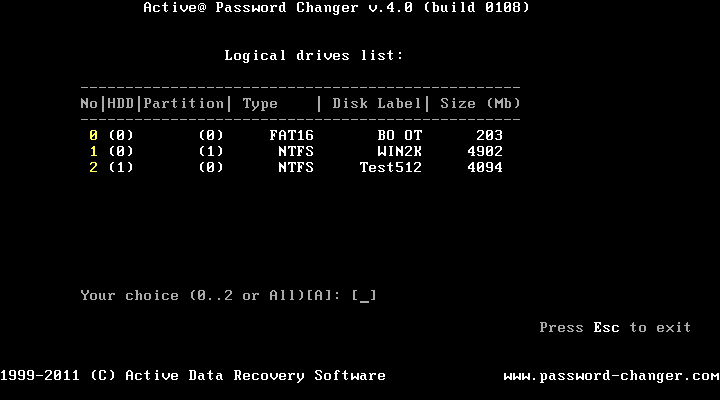
If you chose the first option on the Options screen you may select a particular volume to scan for a SAM database.
This document is available in PDF format, which requires Adobe® Acrobat® Reader (Free download):
USER'S GUIDE (PDF)
Data Recovery
Data Utility
Data Security
Data Backup
CD/DVD Tools